
Types of Campaign
You can manage two types of campaign:
• Run Once - used for your standard newsletters
• Recurring - used to set up automated campaigns
In both types of campaign you can create a journey flow consisting of several schedules set to send at their own respective times. Whether this consists of one long flow, or several single schedules connected to Start Timers, is down to you and the content of your campaign. For a detailed video guide, watch How to set up an email schedule 🎥
The type of campaign is chosen when creating your campaign:
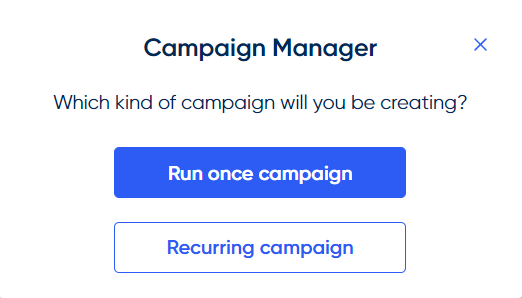
This cannot be changed!The type of campaign cannot be changed once created, so be sure to set up the right type of campaign from the beginning.
Run Once
A run-once campaign is a unique campaign that is related to a specific event or offer. For example, you might create a campaign that only runs once during an event such as a world football championship, which you would include schedules relating only to that event.
Recurring
A recurring campaign is an automated campaign type that is always relevant. For example, you may have a welcome campaign targeted at new clients who have made a purchase on your website.
This type of campaign allows you to market continuously on a daily basis using the same campaign, with the recipients updating regularly depending on the segments or upload list(s) that you have used in your campaign.
Just as with any campaign, you can have multiple schedules, for example; email, SMS, or direct mail, that can all be sent depending on the recipient's behaviour towards the previous schedules, within the same campaign by using rules and rule items.
Be sure to set your segments up for recurring useSegments being used on Recurring campaigns should be set to calculate "daily", otherwise the same people may continue to receive your campaign each day!
Reactive setting for recurring campaigns
When creating a Recurring campaign, these will generally send at a set time each day specified in the Start Timers. However if you have a schedule you want to send throughout the day, for example an Abandon Basket or Welcome email, the Campaign can be set up by the RedEye team to be Reactive.
When a campaign is made Reactive this means all schedules within that campaign will attempt to send every 1-2 hours.
Things to consider when using Reactive Campaigns
Follow up schedules
- If your journey will contain any follow-up schedules, these need to be in a separate, non-reactive Campaign.
Segments
- Any segments used on your Reactive Campaign will also need to be made Reactive. This can be requested via your Customer Success Manager.
Rules
- Any schedules within a Reactive Campaign should include the rule "Not sentthis schedule on today(R)" ensuring that recipients will only be sent this once per day.
- As with any recurring setup, alongside the above rule you should also add a frequency rule of "Not sentthis schedule in the last X days(R)" to ensure customers aren't over-emailed.
Updated over 1 year ago