
Segment List
The Segment List is the homepage of the segments area and allows you to manage, view, recalculate and summarise your segments.
Segment List
The Segment List is the homepage of the segments area and allows you to manage, view, recalculate and summarise your segments.
Segment list overview 🎥
Splitting a segment
Splitting a segment allows you to take your overall segment and create some smaller sub-segments that you can use for A/B testing, or send-time testing.
To split a segment, select your segment then choose the "Split" option at the top-right of the window. Within this window you then get 3 options:
- How many splits to create
- How these should be split
- Ratio
- Fraction
- Manual Input
- The amount each split should contain
Which of these methods to use will depend on the amount of data you want in each split, however generally it is down to use preference.
Split your segments to be able to run send-time testingAs two schedules are required to run send-time tests, you can set these up by splitting your main segment into the different times you want the test to run. Then you can set up a single schedule for each send time.
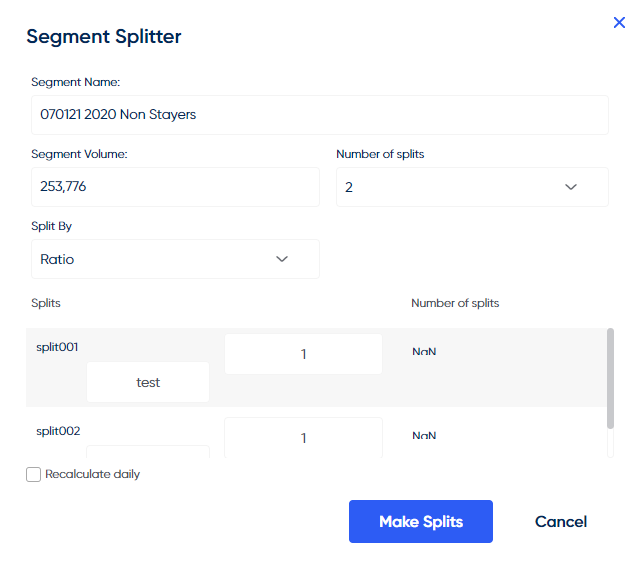
The segment splitting interface
Summarising a segment (Tracking segment volume)
Segment Summarising allows you to enable tracking of that segment volume over time. Only volume seen after the summarisation has been enabled will be tracked (i.e. it does not give historic results).
This tracked volume can then be seen in the Intelligence Suite section of the platform when creating custom dashboards.
Updated over 1 year ago