
Email Validation
The Email Validation extracts can be seen and managed from the Admin section and then the Email Validation tab.
Information on creating Email Validation Extracts can be found here
Enabling Email Validation
If you haven't already, Email Validation can be enabled by pressing the 'Enable' button in the Email Validation section of Admin Operations.
Once enabled, this will then return a list of the Email Validation extracts that are available and their corresponding status.
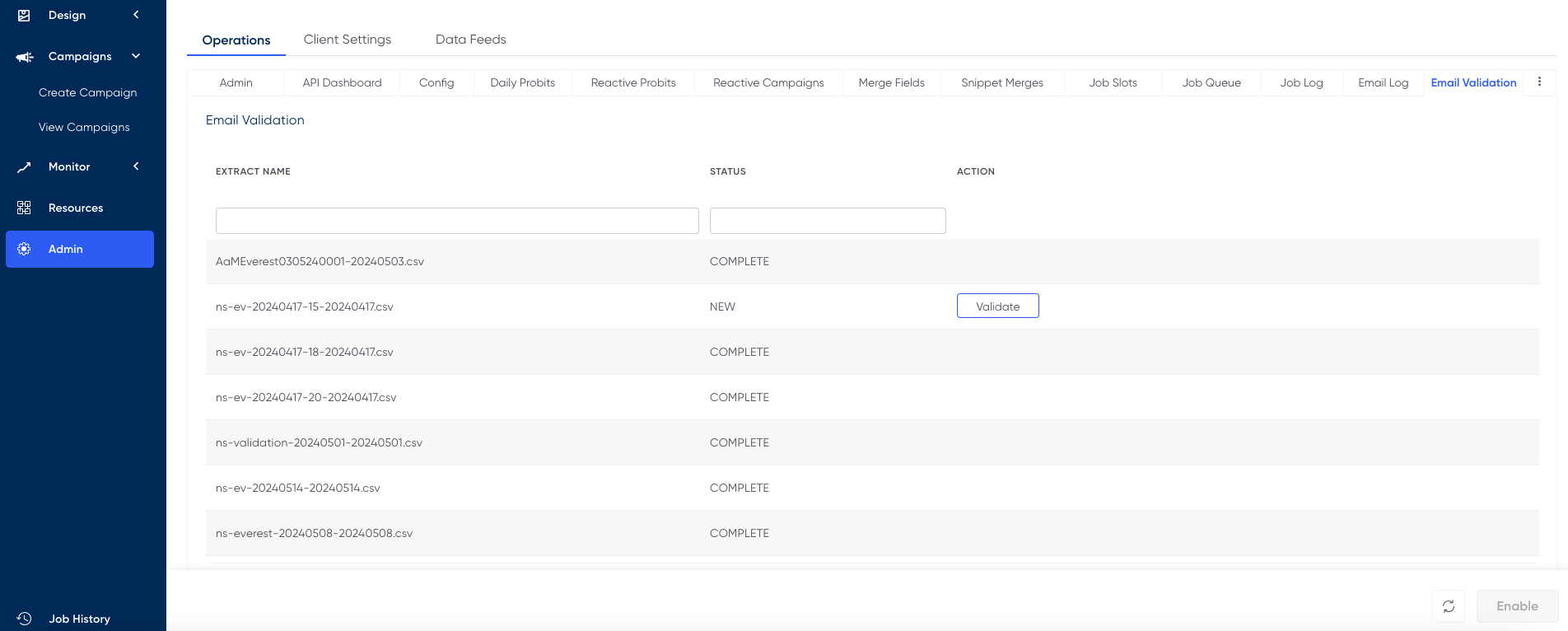
Status
NEW - a new email validation extract that has not yet been validated
PROCESSING - the extract has been sent to Validity and is currently being processed
VALIDATED - the extracts has been validated and is ready to be imported into the RedEye platform. which will load them against some parameters which can be used by segmentation.
COMPLETE - all stages are complete
Quota
Using Email Validation requires credits which are distributed on a per client basis. If you have any queries regarding your credit limit, speak with your Customer Success Manager.
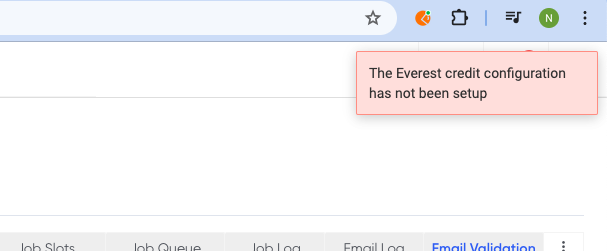
If you do not have sufficient credits, the following error message will be shown and the extract will not be processed.
Updated over 1 year ago